Thursday, May 28, 2026 |Navi Mumbai
--:-- | --°C | AQI --
If it's not on Unbox Daily HQ, it's not a Launch. Every product, policy and brand launch in India. One hub. What's new?
Miniclip ports its massively popular smartphone cue game to the living room via motion controls and local multiplayer modes.
The Takeaway
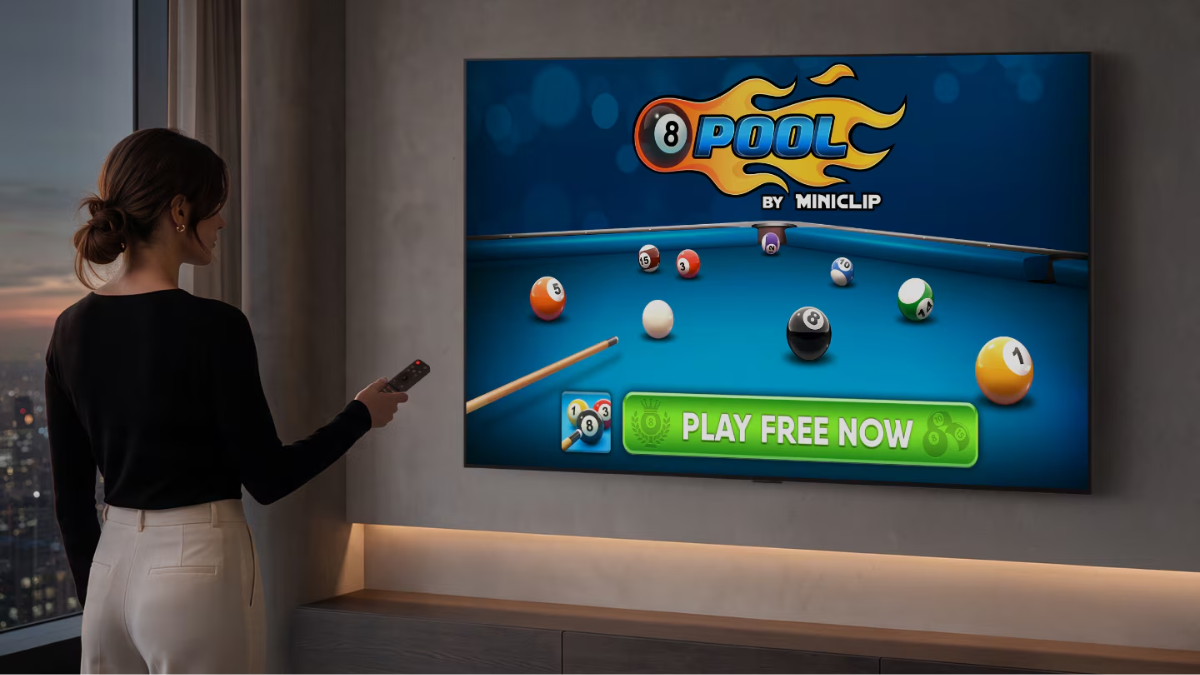
LG is bringing the popular digital pool game 8 Ball Pool to its connected TV platform, allowing users to play directly on compatible LG Smart TVs without requiring a separate console.
The game will be available on TVs running webOS 6.0 and newer, covering compatible models from 2021 onward. The base game remains free to play, although the pricing and availability of optional in-game items can vary.
A Pool Table on the Big Screen
The television version is designed to bring the familiar 8 Ball Pool experience to a larger display. LG says the game is optimised for its TV environment, allowing players to use the Magic Remote as the primary control.
Players can use the remote to aim the virtual cue and perform shots, making the setup more accessible for casual gaming without requiring a dedicated controller.
ⓘ Sponsored: Unbox Daily HQ earns a commission if you buy through these links, at no extra cost to you. Prices shown are subject to change, and the actual price on Amazon at the time of purchase may vary from what is displayed here.
The release also introduces Couch Play, allowing two people to play locally on the same television. Alongside local matches, players can access online gameplay.
Hardware Requirements and Features
| Feature | Specification |
| Required platform | webOS 6.0 and newer |
| Compatible models | Compatible LG Smart TVs, including 2021 models onward |
| Control | LG Magic Remote |
| Base access | Free to play |
| Multiplayer | Online play and local Couch Play |
LG’s Push Into Casual TV Gaming
The arrival of 8 Ball Pool forms part of LG’s broader effort to expand gaming directly through its Smart TV platform.
LG says total gaming hours on its webOS platform increased 71% year-on-year. This is company-reported platform data rather than an independently audited industry figure.
The strategy also reflects a wider shift in smart TVs, where manufacturers are adding games and cloud-connected entertainment options alongside traditional streaming services. For casual players, the ability to start a game using existing TV hardware can remove the need for an additional console or controller.
A Popular Mobile Game Gets a Bigger Screen
8 Ball Pool has a substantial history on mobile platforms. Developed by Miniclip, the game has become one of the best-known digital pool titles, with its large installation base helping establish it as a mainstream casual multiplayer game.
Bringing the title to Smart TVs changes the setting rather than fundamentally changing the game’s core appeal: short matches, competitive play and an easy-to-understand pool format.
Whether the television version becomes a regular gaming option will depend on factors such as continued developer support, compatibility across TV models and how well the control system works for individual players.
This strategy aligns with their broader push to keep users inside their proprietary interface, where generative assistants arrive in the QNED evo Mini LED television range to command smart home functions.
The Unboxed Truth
8 Ball Pool on LG Smart TVs is primarily a convenience play. It gives casual players another way to enjoy a familiar multiplayer game without connecting a separate console.
The biggest attraction is arguably Couch Play, which makes the TV a shared gaming screen for two players. However, users looking for a full console-style gaming experience should still view this as a casual addition to the Smart TV platform rather than a replacement for dedicated gaming hardware.
Best for: Casual players looking for quick pool matches on the big screen.
Courtesy: LG Electronics
8 Ball Pool on compatible LG Smart TVs is designed around the webOS platform and LG Magic Remote, allowing players to control the game using the TV’s existing remote. It also includes a local Couch Play mode for two players.
Samsung’s Tizen gaming ecosystem includes cloud-based gaming services and support for compatible Bluetooth controllers. The two approaches therefore differ mainly in their control methods and gaming ecosystems, with LG focusing on an experience that can be accessed through its existing TV hardware.
8 Ball Pool may be worth trying for viewers who enjoy casual multiplayer gaming and want to play directly on a compatible LG Smart TV without connecting a separate console. Its Couch Play mode can also make it suitable for quick two-player sessions.
However, players looking for more advanced gaming features, extensive controller support or a broader console-style library may still prefer dedicated gaming hardware.