Thursday, May 28, 2026 |Navi Mumbai
--:-- | --°C | AQI --
If it's not on Unbox Daily HQ, it's not a Launch. Every product, policy and brand launch in India. One hub. What's new?
Direct Pixelmator Pro integration comes to Indian editors today
The Takeaway
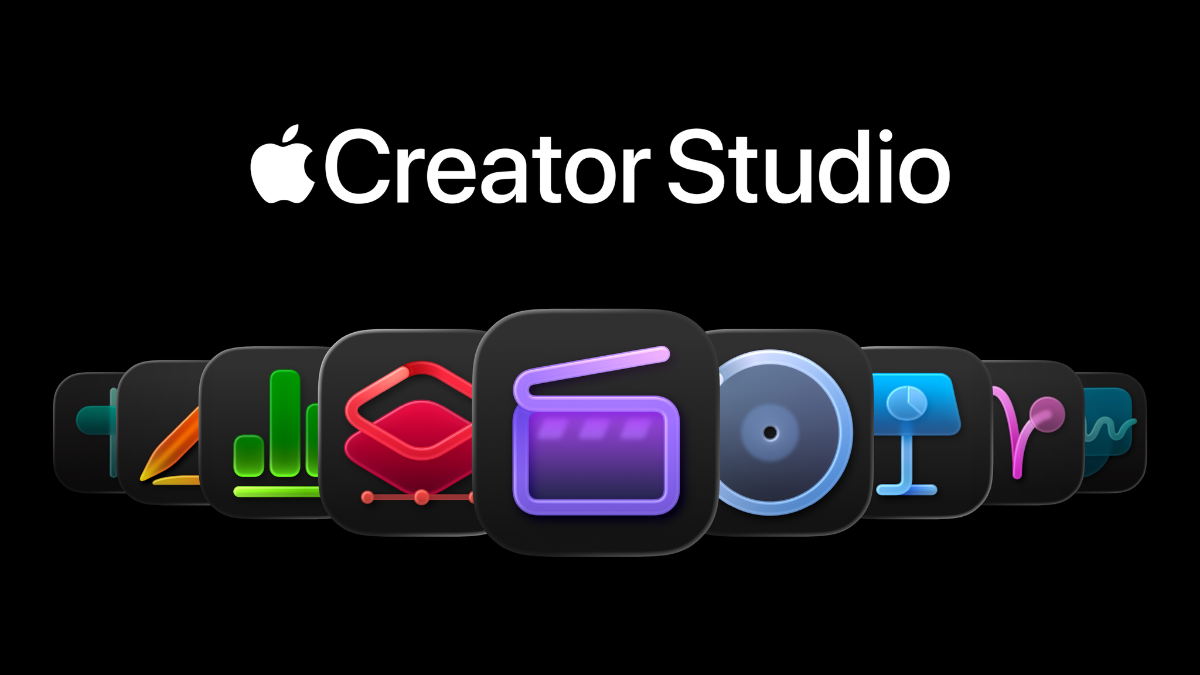
Apple has introduced a series of new creative tools across Apple Creator Studio, with Final Cut Pro and Pixelmator Pro receiving several of the most notable updates.
The June 2026 update added AI-powered features to Final Cut Pro, including Generate Captions, Edit Detection and Auto Mask on Mac. Apple says these tools use on-device AI for functions such as automatically transcribing audio and analysing rendered video.
The latest September update also expands Pixelmator Pro for iPad with Select and Mask, bringing more advanced selection and mask-refinement controls to the tablet version.
On-Device AI Comes to Final Cut Pro
One of the key additions is Generate Captions, which uses on-device AI to automatically transcribe audio and place the resulting subtitles in the Final Cut Pro timeline.
ⓘ Sponsored: Unbox Daily HQ earns a commission if you buy through these links, at no extra cost to you. Prices shown are subject to change, and the actual price on Amazon at the time of purchase may vary from what is displayed here.
Apple says the feature can also provide options for animating captions and customising their font, colour and position. Because the processing is performed on the device, the feature does not depend on sending the audio to a remote AI service for transcription.
Final Cut Pro also gains Edit Detection, which analyses rendered video and automatically identifies previous edit points. Editors can then refine the detected cuts or assemble a shorter highlight sequence without manually finding each edit point. Apple identifies Edit Detection as another on-device AI feature.
Auto Mask Adds Faster Object Selection
Final Cut Pro for Mac also receives Auto Mask, an AI-powered tool designed to help editors isolate elements within video.
The feature is part of Apple’s broader effort to add intelligent editing assistance directly into Final Cut Pro rather than requiring editors to perform every selection manually. Apple specifically lists Auto Mask among the new Mac tools introduced in the June update.
The exact performance of these tools will naturally depend on the Mac hardware being used, as well as the complexity and resolution of the footage.
Pixelmator Pro Integration Gets More Useful
Apple is also connecting Final Cut Pro more closely with Pixelmator Pro.
The June update allows editors on Mac to send frames from Final Cut Pro directly to Pixelmator Pro for further image editing. This can be useful when a particular video frame needs detailed image manipulation outside the main video-editing timeline.
Apple’s September update expands Pixelmator Pro for iPad further. The app now includes Select and Mask, bringing dedicated controls for precise mask and selection refinement. Apple highlights the ability to preserve fine details around complex edges such as hair and fur.
Pixelmator Pro already supports working with video layers, including masking, colour adjustments and cropping, so the latest updates strengthen its role within Apple’s wider creative-app ecosystem. Explore other tools here: At ₹399 a month, Apple bundles its biggest pro apps.
Apple video update specifications
| Feature | Status |
| Availability | Now in India |
| Masking Engine | On-device AI |
| Integration | Pixelmator Pro |
Apple vs Adobe Premiere Pro
Adobe Premiere Pro remains a major alternative for professional video editors, with its own range of AI-powered features for tasks such as object masking, tracking, transcription and editing assistance.
Apple’s approach stands out where supported AI operations are processed directly on the device. This can reduce dependence on an internet connection for those specific functions and can be useful when editors are working offline or with sensitive footage.
However, it would be inaccurate to describe Premiere Pro as entirely cloud-dependent. Adobe combines local editing capabilities with cloud-connected features and services, and the exact processing method varies by feature.
What About Cloud Processing?
Apple’s published announcement confirms on-device AI for Generate Captions and Edit Detection, but it does not make that broader claim about every Final Cut Pro masking operation. Therefore, it would be inaccurate to describe the entire video-editing workflow as completely cloud-free based solely on this announcement.
The practical advantage of on-device processing is that supported AI operations can be performed locally, reducing dependence on an internet connection for those particular features.
Apple Creator Studio’s Broader AI Push
These updates are part of Apple’s broader Apple Creator Studio strategy, which connects Final Cut Pro, Pixelmator Pro, Keynote, Pages, Numbers and Logic Pro.
Apple says the June update introduced new AI capabilities across its creative applications, while the September update added further templates and creative tools and expanded Pixelmator Pro’s selection capabilities on iPad.
For video editors, the combination of on-device AI, automated editing assistance and tighter integration between Final Cut Pro and Pixelmator Pro is intended to reduce some of the repetitive work involved in preparing and refining footage.
Availability
Apple has announced these features as part of its 2026 Apple Creator Studio updates. Availability can vary by application, platform and compatible hardware.
Final Cut Pro’s June update covers Mac and iPad features, while the September announcement specifically adds Select and Mask to Pixelmator Pro for iPad.
The Unboxed Truth
Apple’s latest creative updates are less about one isolated masking feature and more about building AI assistance directly into the editing workflow.
The important change is that tasks such as caption generation, edit detection and selected masking operations can use on-device intelligence, while Final Cut Pro and Pixelmator Pro are becoming more closely connected.
For editors working with sensitive footage, on-device processing can be useful where it applies, but it should not automatically be interpreted as a guarantee that every Apple Creator Studio operation is processed locally.
Best for: Video editors and creators who already use Final Cut Pro and Pixelmator Pro and want more automated editing assistance.
Courtesy: Apple
The Apple Creator Studio updates are available in India, with availability depending on the specific application, platform and compatible hardware. The updates introduce features including on-device AI capabilities in Final Cut Pro, such as Generate Captions and Edit Detection, along with Auto Mask on Mac. Final Cut Pro also supports sending frames directly to Pixelmator Pro for further editing.
These features can help Indian video editors perform supported AI-assisted tasks locally on compatible devices.
Apple’s updated Final Cut Pro uses on-device AI for supported features such as Generate Captions and Edit Detection, while Auto Mask is also available on Final Cut Pro for Mac.
Adobe Premiere Pro has its own AI-powered editing and masking tools and combines local processing with cloud-connected services, depending on the feature. Therefore, it would be inaccurate to say that Premiere Pro relies entirely on cloud processing or that every complex selection is placed in a remote processing queue.
For editors, the key difference is Apple’s emphasis on on-device AI for supported Final Cut Pro features, while Premiere Pro offers a broader combination of local and cloud-connected workflows.
The update is relevant for editors who use Final Cut Pro and want access to its new AI-assisted editing features, including on-device Generate Captions, Edit Detection and Auto Mask on Mac.
On-device processing can also be useful when working offline or when editors prefer supported AI tasks to be handled locally. However, it should not be interpreted as a guarantee that every operation across Apple’s creative applications is processed entirely on the device.
Final verdict: Consider installing the update if you use Final Cut Pro and the new AI and workflow features match your editing needs. Check application and hardware compatibility before updating a production system.